NYU's university-wide generative AI platform — built on a fork of Open WebUI, extended with course-aware features, deployed across departments serving students, faculty, and researchers.
I joined to build AI Tutor: an intelligent system that analyzes student homework conversations, maps topic-level performance, generates personalized practice problems, and distributes them automatically.
Role: Product-aware full-stack engineer — data model, system architecture, full instructor-facing frontend, and integration documentation.
纽约大学全校范围的生成式 AI 平台,基于 Open WebUI 分叉构建,扩展了课程级功能,面向学生、教职人员和研究人员提供服务。
我加入团队负责构建 AI Tutor:一套分析学生作业对话、定位主题级别表现、生成个性化练习题并自动分发的智能系统。
角色: 产品导向的全栈工程师——数据模型、系统架构、完整的教师端前端,以及集成文档。
The Project
Pilot GenAI is NYU's institutional AI workspace — one platform serving students, faculty, administrators, and researchers across dozens of departments, with NYU-specific access controls and course-managed LLM access layered on top of Open WebUI.
The AI Tutor feature closes the loop between LLM-assisted learning and instructor oversight:
- Instructor uploads a homework PDF and answer key
- System parses the PDF, maps questions to topics, evaluates each student's conversation history against the assignment using GPT-4o
- Instructor sees class-wide and per-student topic performance breakdowns
- AI generates a practice problem set; instructor reviews and approves
- System distributes personalized subsets to each student based on their specific topic gaps
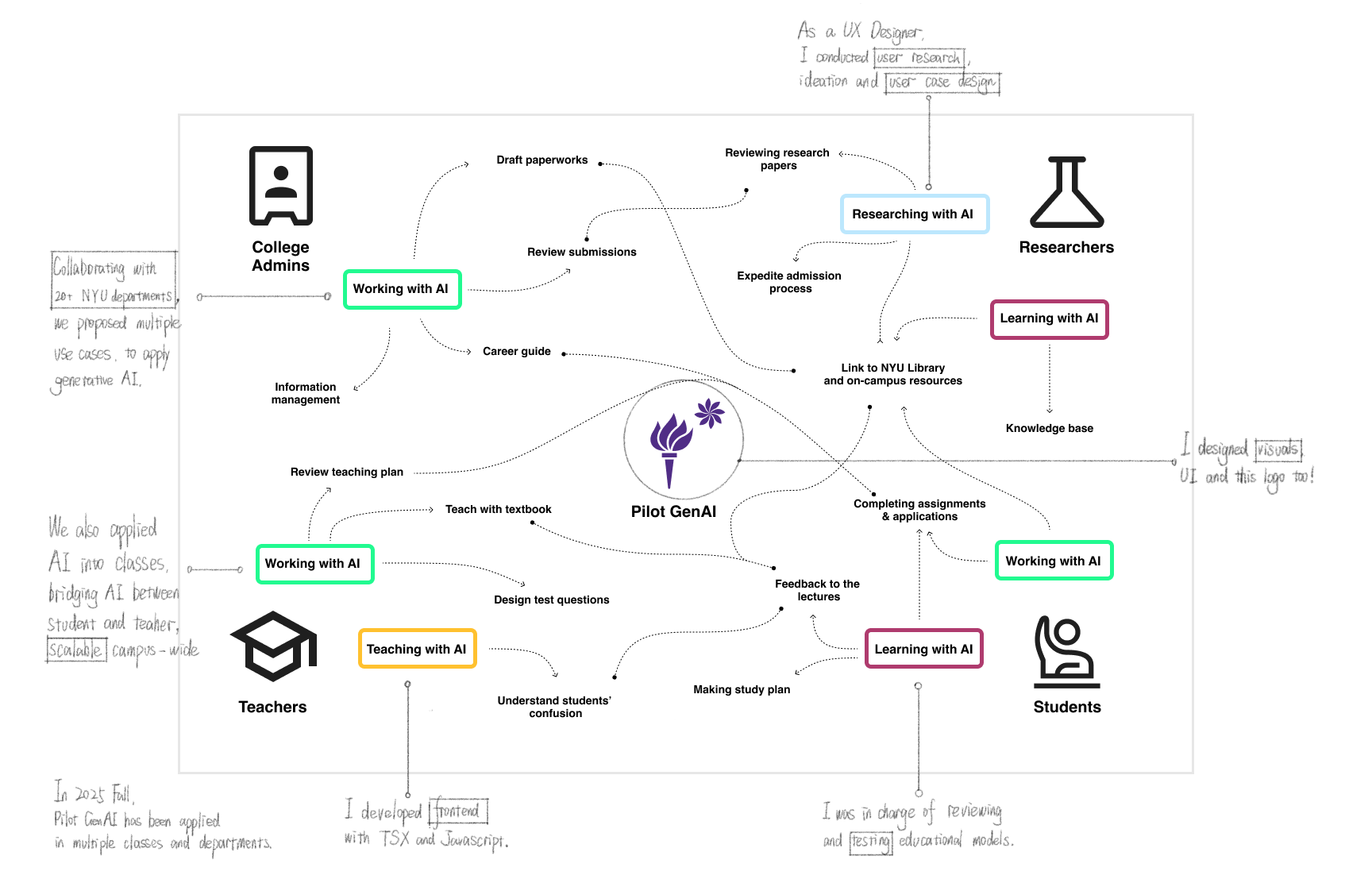
Pilot GenAI 是 NYU 的机构级 AI 工作空间——一个服务于学生、教职人员、管理者和研究人员的统一平台,覆盖数十个院系,在 Open WebUI 基础上叠加了 NYU 特定的访问控制和课程管理。
AI Tutor 功能 将 LLM 辅助学习与教师监督形成闭环:
- 教师上传作业 PDF 和答案键
- 系统解析 PDF,将问题映射到主题,并用 GPT-4o 评估每位学生的对话历史
- 教师看到班级和个人维度的主题表现分析
- AI 生成练习题集,教师审核批准
- 系统根据每位学生的薄弱主题,将个性化子集分发给对应学生
Defining the Data Model
When I joined, the relationship between instructors, students, assignments, conversations, and LLM models was undefined across the codebase. Different people were building different abstractions, accumulating cross-team misalignment.
I defined the canonical data model the entire product now operates on:
- Instructor = platform admin — leverages Open WebUI's existing admin role; no new role type needed
- Student = group member — maps naturally onto the existing group/membership model
- Homework = workspace model — a configured LLM model instance is the "homework object"; its chat history is the source data for analysis
- Group = context root — all instructor and student views are scoped to a group; ensures course isolation and simplifies every query
I documented and socialized this model as the shared language for frontend-backend integration, which reduced the misaligned implementations accumulating across the team.
加入时,教师、学生、作业、对话记录和 LLM 模型之间的关系在代码库中没有清晰定义——不同的人在构建不同的抽象,跨团队的不一致实现正在积累。
我定义了整个产品如今所依赖的规范数据模型:
- 教师 = 平台管理员 — 复用 Open WebUI 现有的 admin 角色,无需引入新角色类型
- 学生 = 群组成员 — 自然映射到现有的 group/membership 模型
- 作业 = workspace model — 配置好的 LLM 模型实例就是"作业对象";它的聊天历史是分析的源数据
- 群组 = 上下文根节点 — 所有教师和学生视图都以 group 为作用域;保证课程隔离,简化所有查询
我将这个模型文档化,推广为前后端集成的共同语言,减少了此前积累的不对齐实现。
System Architecture
I documented and refined the two-service architecture where AI Tutor runs as an independent microservice alongside Open WebUI:
- AI Tutor reads the Open WebUI main database read-only (users, groups, conversation history)
- AI Tutor writes to its own isolated database (analysis results, practice problems, assignments)
- The Open WebUI backend acts as a reverse proxy to AI Tutor — centralizing authentication and eliminating CORS complexity
For all long-running operations (PDF parsing, LLM analysis, practice generation), I designed a job ID polling pattern: operations return a job_id immediately and run asynchronously; the frontend polls GET /pipeline/status/{job_id} until completion; each phase — PDF → markdown → topic mapping → analysis → practice generation — is independently trackable.
我记录并完善了 AI Tutor 作为独立微服务与 Open WebUI 并行运行的 sidecar 架构:
- AI Tutor 只读访问 Open WebUI 主数据库(用户、群组、对话历史)
- AI Tutor 向自己的独立数据库写入分析结果、练习题和作业分发记录
- Open WebUI 后端作为 AI Tutor 的反向代理——统一处理鉴权,消除 CORS 复杂度
对于所有长时间运行的操作(PDF 解析、LLM 分析、练习题生成),我设计了 job ID 轮询模式:操作立即返回 job_id 并异步运行;前端轮询 GET /pipeline/status/{job_id} 直到完成;每个阶段都可独立追踪。
Building the Frontend
I built all AI Tutor dashboard pages in SvelteKit + TypeScript: Instructor Summary, Topic Analysis, Student Analysis, Setup, and Student Dashboard with practice assignment integration. 15+ API endpoints integrated across two backend services.
I designed the group-scoped URL context pattern: group_id is always in the URL as the root context. Tab switching uses sessionStorage as a cache layer — no blank screens on rapid navigation. API failures don't clear existing UI state. A single constants.ts flag controls testing/mock mode across all AI Tutor pages.
I set up and operated the full local development stack using Docker Compose (two PostgreSQL instances, Redis, pipelines service, two FastAPI services) and port-forwarded to production OpenShift services for live testing against real NYU data.
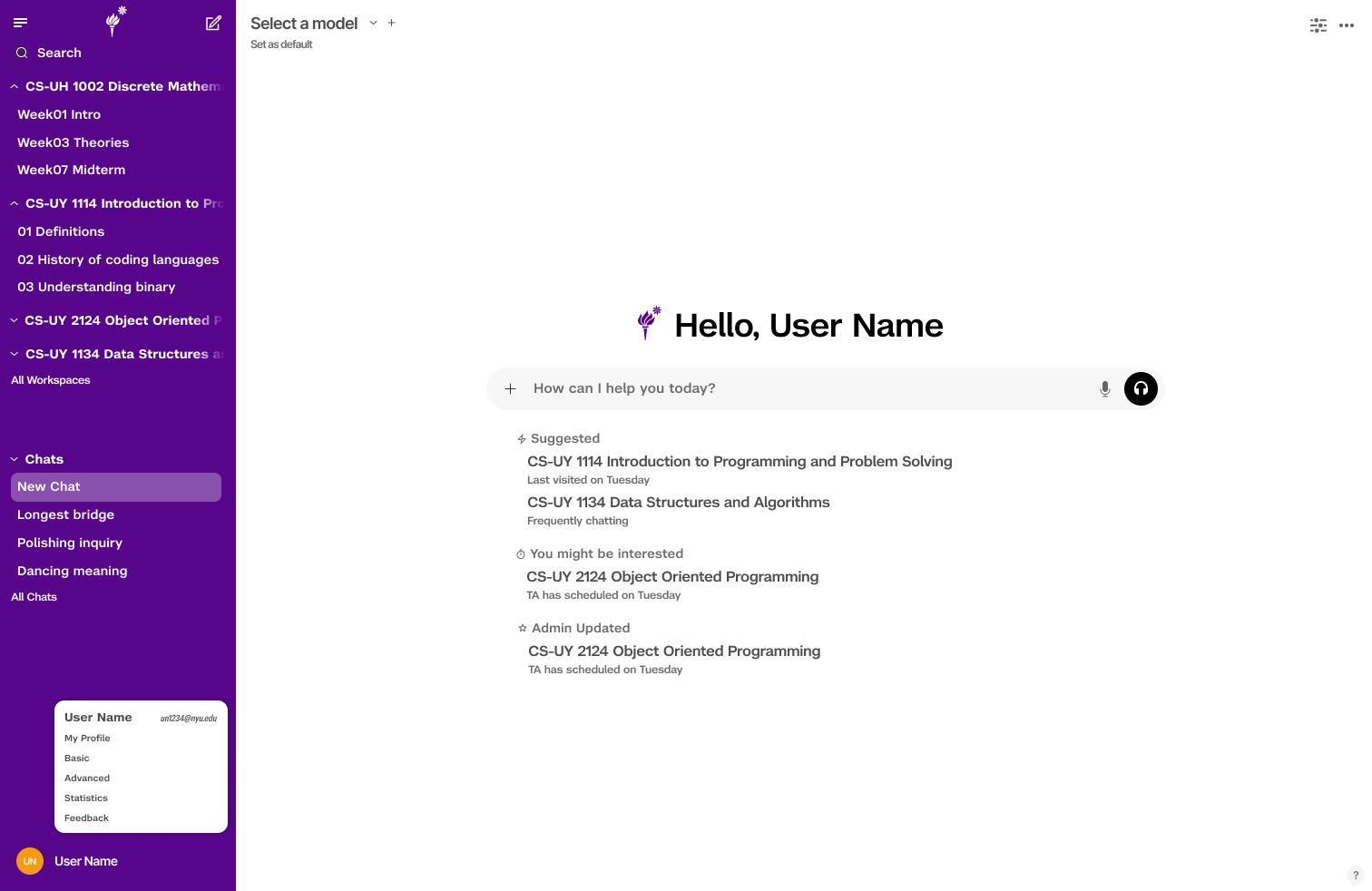
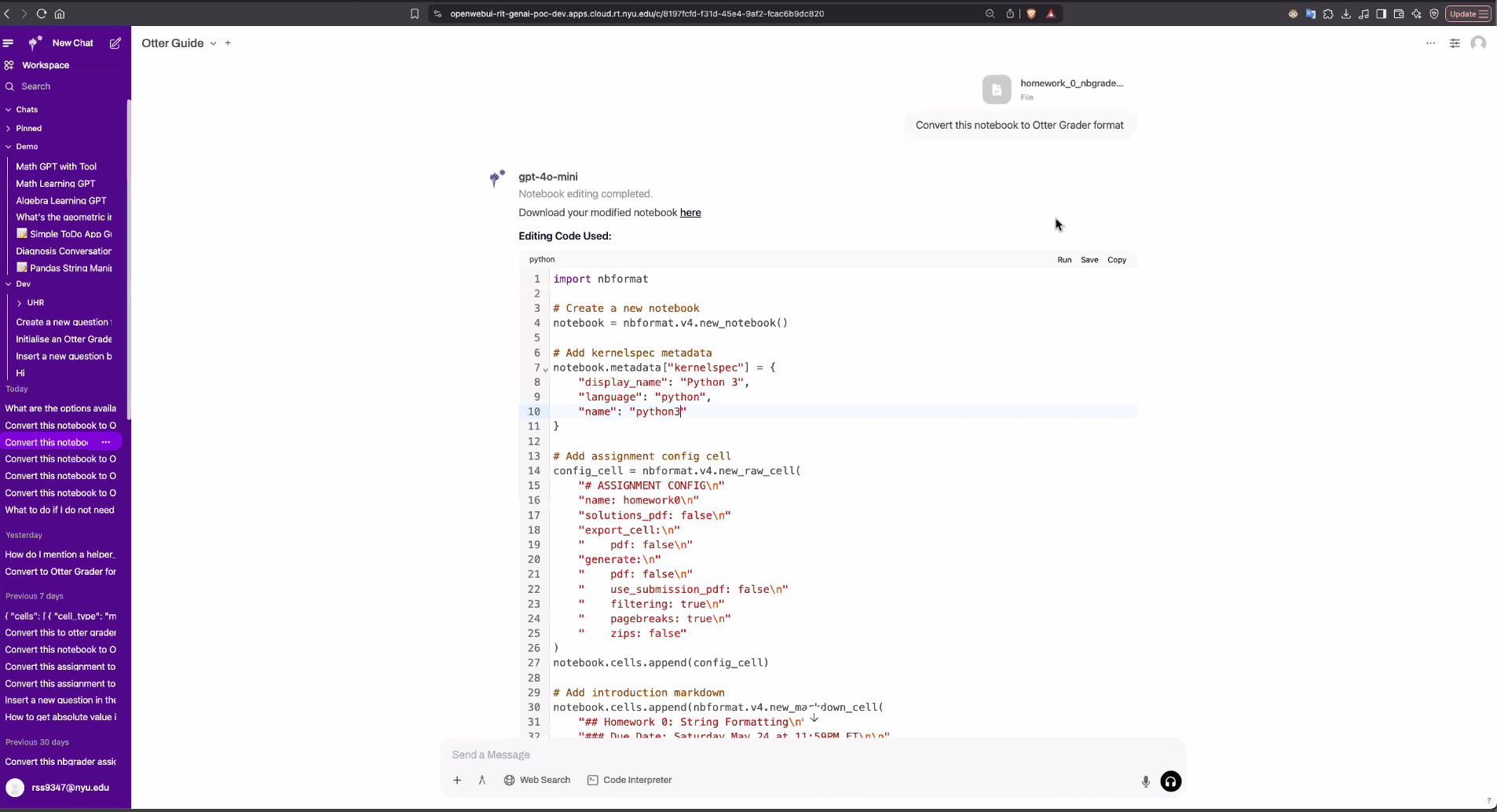
我用 SvelteKit + TypeScript 构建了所有 AI Tutor dashboard 页面:教师摘要页、主题分析页、学生分析页、设置页,以及含练习作业集成的学生 Dashboard。接入 15+ 个跨两个后端服务的 API 端点。
我设计了群组作用域 URL 上下文模式:group_id 始终以 URL 参数形式作为根上下文。Tab 切换使用 sessionStorage 作为缓存层——快速切换时不出现空白页。API 请求失败时不清空现有 UI 状态。
本地开发使用 Docker Compose(两个 PostgreSQL 实例、Redis、pipelines 服务、两个 FastAPI 服务),通过 port-forward 对接生产 OpenShift 环境进行真实数据测试。
Design & Research
Alongside the engineering work, I contributed to the product's visual and structural design:
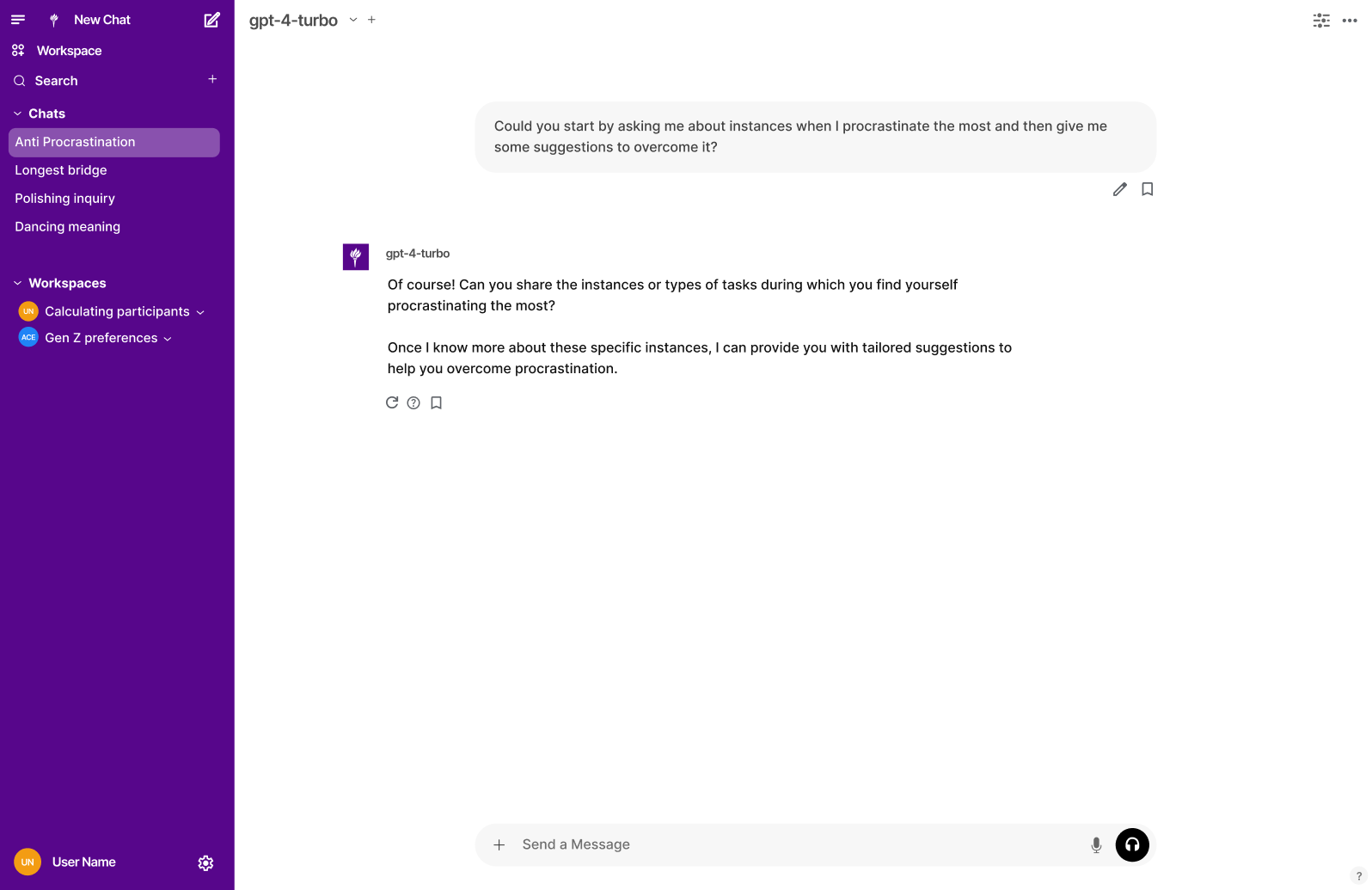
- Designed the visual identity: a logo inspired by NYU torch forms, NYU palette adapted for AI-native interactions
- Helped define the group-based access model and product information architecture
- Designed and tested interaction patterns for the instructor dashboard flows
- Contributed to research sessions with instructors and students, turning workshop feedback into product requirements
- Designed testing scenarios for tutoring, file generation, and workflow automation across 20+ use cases and NYU departments
在工程工作之外,我也参与了产品的视觉与结构设计:
- 设计平台视觉标识:受 NYU 火炬造型启发的 logo,基于 NYU 色系适配 AI 原生交互
- 参与定义基于群组的访问模型及其信息架构
- 设计并测试教师 dashboard 的交互模式
- 参与与教师和学生的调研,将反馈转化为产品需求
- 为 20+ 个使用场景和 NYU 院系设计测试方案
Behind the Scenes
No shared data model at the start. When I read through the frontend code and backend API contracts side by side, "homework" meant a Firestore document in one place, a workspace model configuration in another, and a conversation thread in a third. Nobody had written it down. I drafted the entity mapping as a short document and sent it to the team before writing any code. That document became the de facto spec for backend API design.
The two-service architecture was real but undocumented. The sidecar pattern already existed when I joined. But there was no documentation explaining why it was that way, what the data boundaries were, or how authentication flowed across the two services. I wrote the architecture overview that answered those questions — the most referenced document for onboarding new contributors.
sessionStorage came from a real bug. Rapid tab switching in the instructor dashboard was causing blank screens. URL parameter changes triggered API calls that wiped component state before new data arrived. I added a sessionStorage cache layer: on tab switch, cached data loads instantly while the API call runs in the background; data is only replaced when the new response arrives.
Math Ally as a forcing function. Working with a Linear Algebra instructor to test the dashboard against actual homework showed exactly where the model broke: topic names were too technical to scan quickly, the student list needed sorting by weakness rather than alphabetically, and the "approve practice set" step needed a preview of what students would actually see.

开始时没有共同的数据模型。 当我并排阅读前端代码和后端接口定义时,"作业"在一处指 Firestore 文档,在另一处指 workspace model 配置,在第三处指对话线程。没有人把它写下来。我在开始写任何代码之前,先把实体映射整理成一份简短的文档发给了团队。这份文档后来成为后端 API 设计的事实上的规范。
两服务架构是真实存在的,但没有文档。 Sidecar 模式在我加入时已经存在。但没有任何文档解释这样设计的原因、数据边界在哪里、鉴权如何在两个服务之间流转。我撰写了回答这些问题的架构概述,后来成为新成员 onboarding 时被引用最多的文档。
sessionStorage 源于一个真实的 bug。 快速切换 tab 会导致页面空白。我加入了一层 sessionStorage 缓存:tab 切换时,缓存数据立即加载,API 请求在后台运行,只有新响应到达时才替换数据。
Math Ally 作为强制场景。 与一位线性代数教师面对面测试 dashboard,暴露了 UI 模型的断裂之处:主题名称太技术性,学生列表需要按薄弱程度排序,"审核练习题集"步骤需要预览学生实际看到的内容。